
Tattoo Artist Booking Page Checklist
Your booking page is your most important sales tool. Here's the complete checklist to make sure it's working.

The Page That Shouldn't Need Explaining

You put a link in your bio. Someone clicks it. What happens next determines whether you get a booking request or a ghost.
Most tattoo artists have a booking page that does the bare minimum: a form, a button, maybe your name at the top. That's not a booking page—that's a contact form with ambition issues.
A good booking page does one thing: removes reasons not to book. Every question a potential client has, your page should answer before they have to ask.
Here's what your page needs.
Booking Page Essentials Every Tattoo Artist Needs
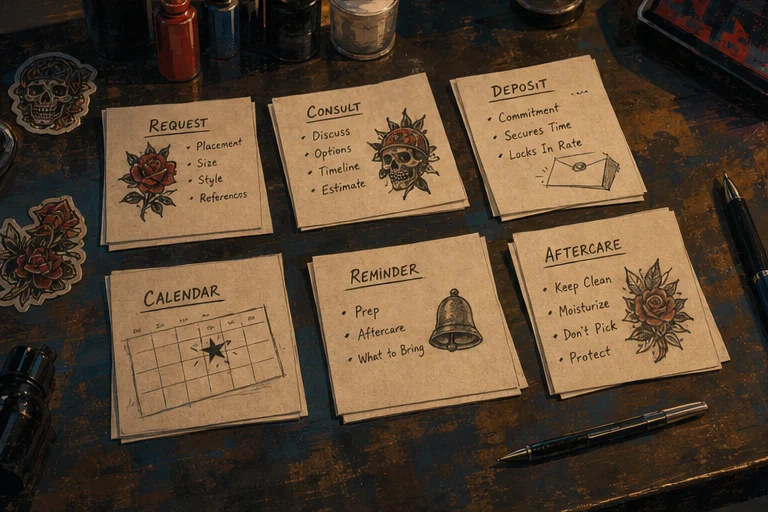
1. Your name and what you tattoo
Sounds obvious. You'd be surprised. Some booking pages have a logo, a moody gradient, and zero information about who actually is doing the tattooing.
Your page should have:
- Your artist name or handle
- What styles you tattoo
- What you don't tattoo (saves everyone time)
2. Your portfolio
At minimum: 10–15 of your best pieces. Organized by style if you tattoo multiple styles. A client looking for fine-line botanical doesn't need to scroll through your traditional sleeve work.
3. Pricing context
You don't need to list exact prices for every piece, but you need to give a sense of what your work costs. A range—"custom pieces start at $300"—is enough. Clients who want a $100 tribal piece and land on your page with no pricing context are going to waste your time asking.
4. Your bookable services
What can they actually book? Single session? Consultations only? Flash? Multi-session projects? If you only take custom work, say so. If you're not currently booking, say that too—it's better than a dead form.
5. A working booking form
The form should collect:
- Name and contact info
- What they want (style, size, placement, description)
- Reference images
- Preferred dates or general availability
- Budget range
If your form asks for their life story and their grandmother's blood type, you're going to lose half your inquiries before they hit submit.
Trust Elements That Make a Tattoo Booking Page Convert
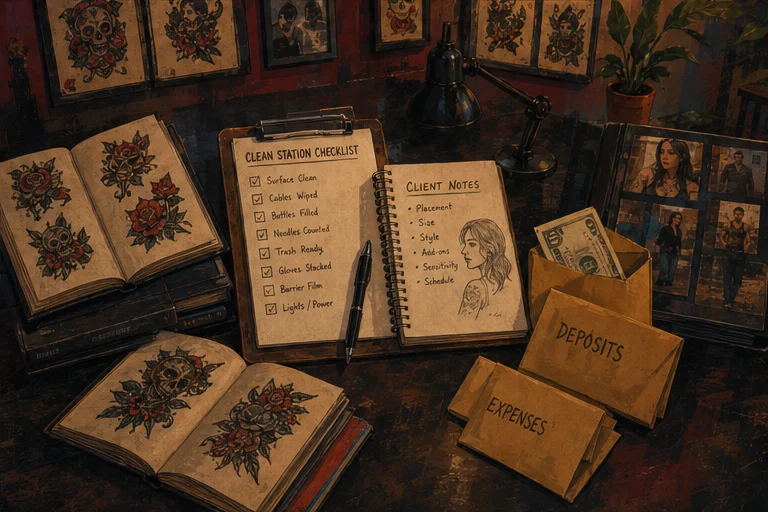
6. Your booking and deposit policy
How much is the deposit? What are the cancellation terms? What happens if they need to reschedule? Put it on the page. Every question you answer before they ask is a question that doesn't become a DM.
7. A sense of who you are
A two-sentence bio. Where you tattoo. Your experience level. Nothing performative—just facts. "I've been tattooing for 7 years, specializing in Japanese traditional and neo-traditional work out of [studio name] in [city]."
8. Reviews or testimonials
If you have Google reviews, a testimonial on your page, or mentions from clients on social media, include them. Social proof is not optional—it's the difference between a visitor who trusts you and one who's still deciding. (A booking page that has reviews and portfolio built in keeps all of this in one place instead of scattered across tools.)
9. Location and hours
Not just "I'm based in [city]." Give them the studio name, the address, the hours you book clients. If you travel or do guest spots, mention that too.
Technical Must-Haves for Your Tattoo Booking Page
10. Mobile-friendly design
More than half your booking page traffic is coming from a phone. If your page looks broken on mobile, you are losing clients. Test it. Actually book yourself through your own page on your phone.
11. Fast load time
A page that takes 4 seconds to load will lose visitors before they even see your portfolio. Compress your images. Use a decent hosting setup. This is basic.
12. A clear call to action
Every page should have one primary action you want the visitor to take: book a consultation, submit a request, claim a flash slot. If your page has three different "contact me" buttons and a link to your Instagram and a link to your email, the visitor does none of those things.
The Things That Separate You From the Other Artist With a Linktree
13. Your process, explained
One paragraph on how you work: how you handle consultations, how far out you book, what happens after they submit a request, when they can expect to hear from you. Clients who understand your process are clients who don't DM you asking exactly that.
14. What makes you different
Not a manifesto. Not "I believe tattoos are a sacred art form." A single sentence: what you offer that the artist down the street doesn't. Specialty styles, turnaround time, a specific kind of client you work best with. Something that earns the click.
15. A waitlist option if you're busy
If you're booked out 2+ months, say so. Give them the option to join a waitlist or be notified when you open books. A waitlist capture is better than a dead form.
The Quick Audit
Run this booking page checklist in five minutes. Go to your booking page right now and ask yourself:
- Can someone land on this page and understand who I am and what I tattoo in 5 seconds?
- Can they see my best work immediately?
- Do I have pricing context?
- Do they know what they can actually book?
- Is my deposit and cancellation policy stated clearly?
- Is the form short enough that someone will actually fill it out?
- Does it load fast on mobile?
- Is there a clear next step for a serious client?
If you're hitting 8/8, your page is working. If you're hitting 5/8 or below, pick the three biggest gaps and fix those first.
The Page That Actually Books Clients
A booking page isn't a directory listing or a Linktree with a form attached. It's a conversion tool.
The difference between a page that generates inquiry spam and one that books qualified clients is specificity: specific about what you do, specific about what it costs, specific about how to actually get on your calendar.
If you only fix one thing, fix the pricing context. Artists who get the most serious inquiries aren't necessarily the best artists—they're the ones whose pages attract serious clients and repel time-wasters.
What a Booking Page Built for This Looks Like
You can assemble every item on this checklist by hand — a form here, a deposit link there, a separate intake doc, a calendar embed. It works, but you're maintaining five tools and the seams show to the client. The reason LVL2 exists is that I got tired of the seams. A tattoo booking page on LVL2 ships with the intake, the deposit, the reference upload, and the confirmation in one flow at your own URL. Whether you build yours here or somewhere else, the checklist is the checklist — these are the elements that turn a browser into a booking request.
Build a booking page that converts
LVL2's booking pages are designed for conversion — portfolio section, intake forms, deposit collection, and availability calendar all built in.
Try LVL2 Free